Features

Everything after the quote, in one place

Start with estimates, invoices and online payments. Add expenses, job profit, crews, routes and subcontractors as your business grows.

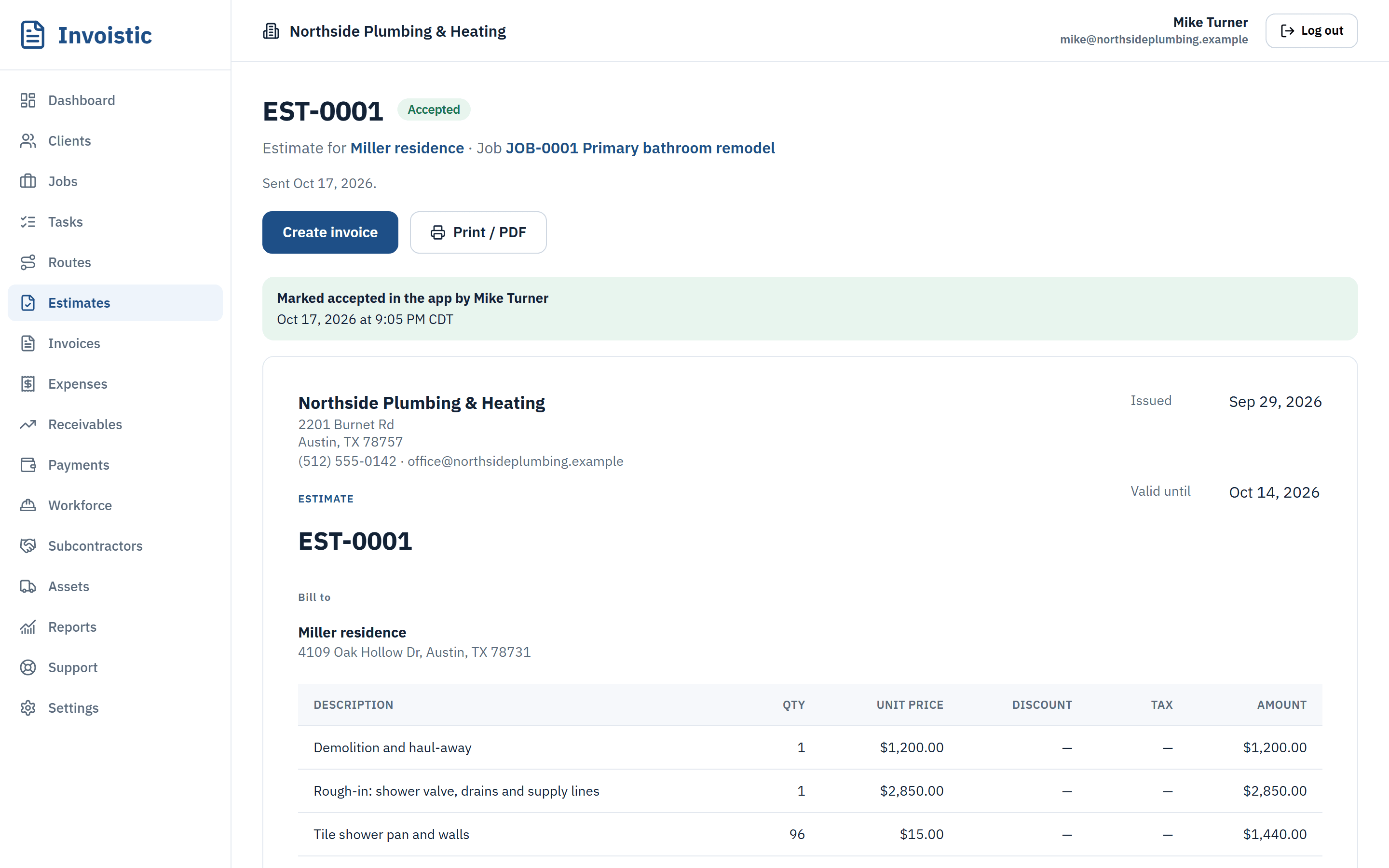
An accepted estimate for a bathroom remodel in Invoistic

Estimates and invoices

Estimates your clients approve online, invoices in one click

Price the job while you are still on site. Your client opens the estimate from a private link and approves it, and the invoice is ready with the same lines, tax and terms.

  • Quote on the spot
  • Approval without paperwork
  • One click to invoice

Free includes 5 estimates and invoices a month; Standard and up are unlimited.
See estimates and invoices

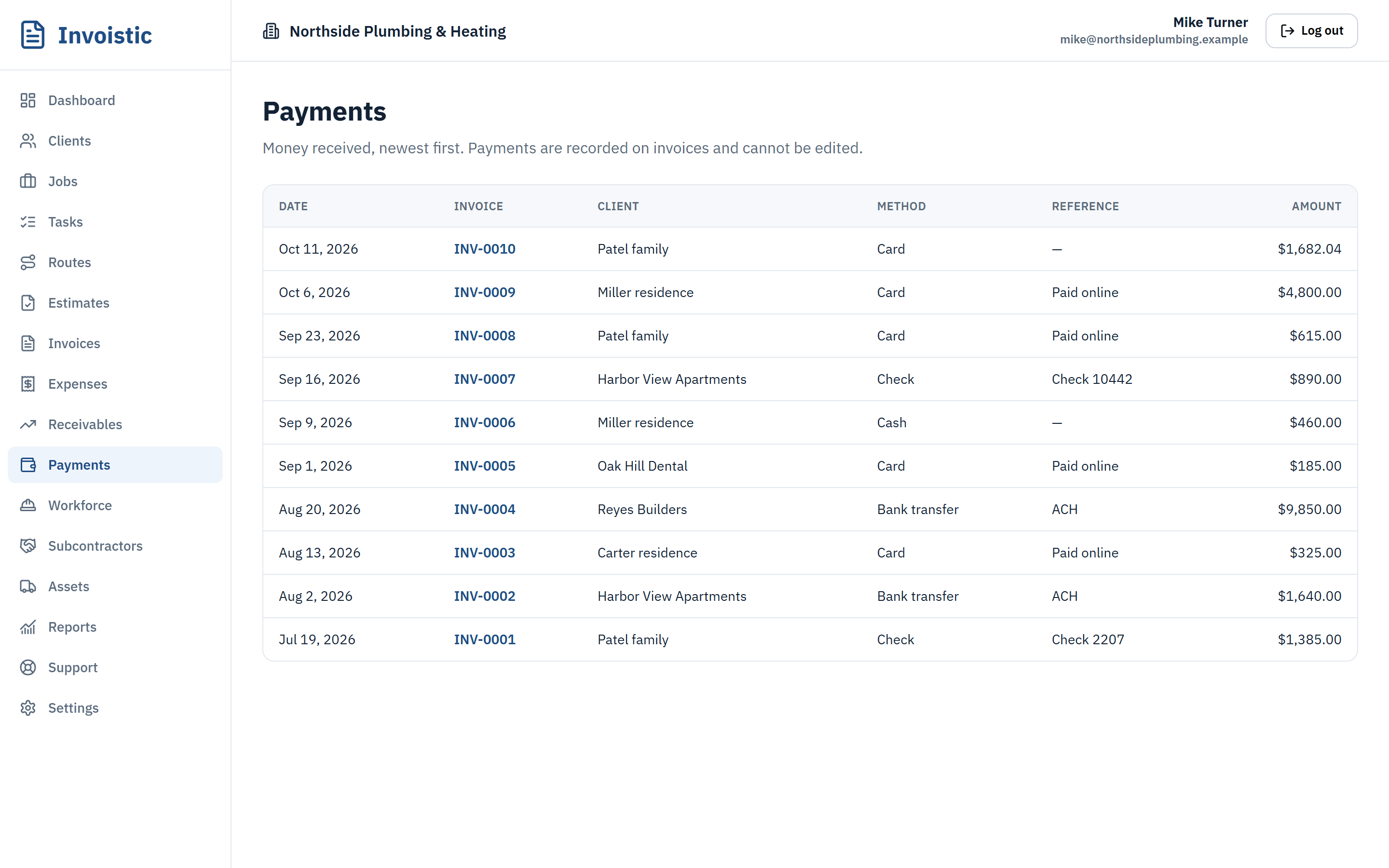
Payments received in Invoistic by card, bank transfer, check and cash
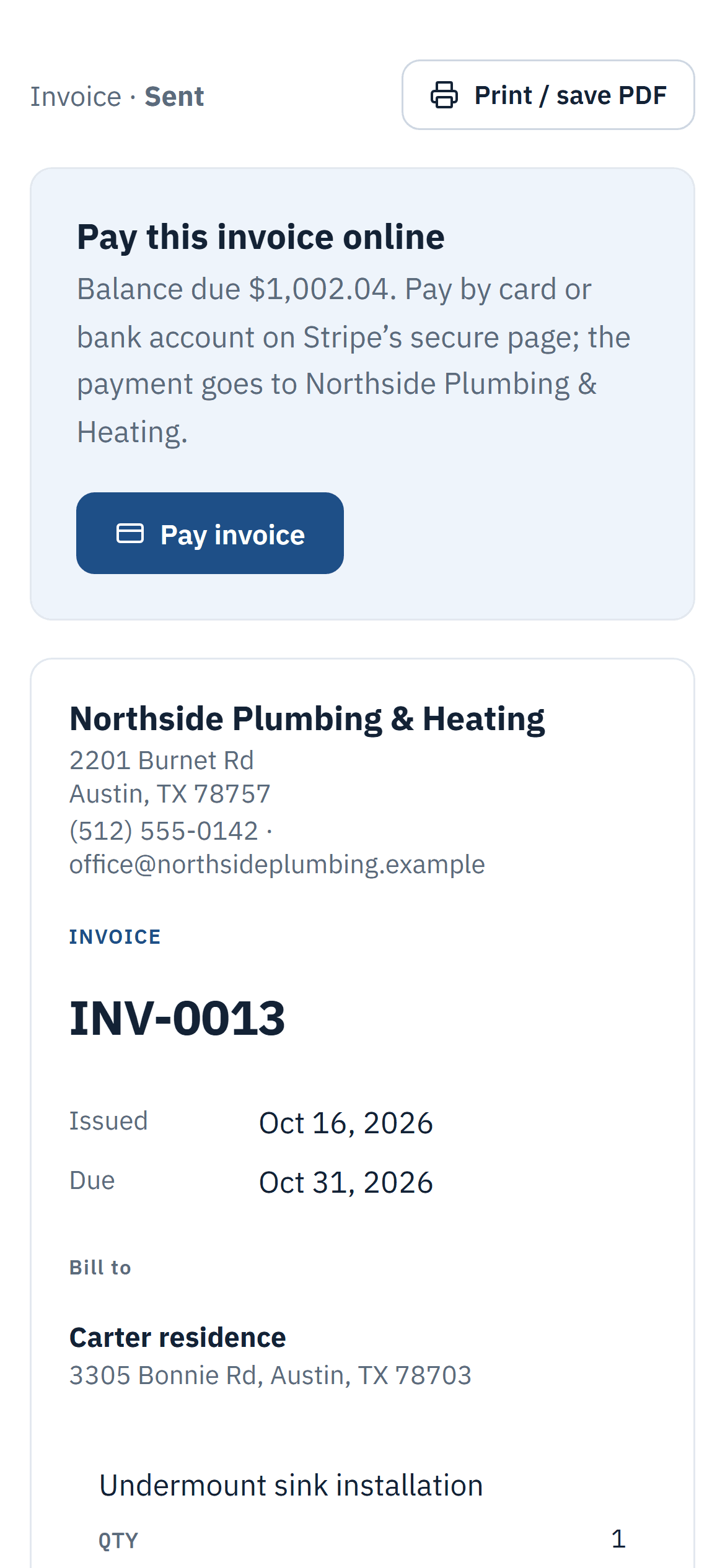
The invoice a client opens on their phone, with a Pay invoice button

Online payments

Let clients pay the invoice online by card, Apple Pay or Google Pay

Connect your own Square account once. From then on every invoice link has a Pay button, the money lands in your Square account, and the payment is added to the invoice on its own.

  • Your account, your money
  • No Invoistic fee
  • Marked paid automatically

Get paid faster with online payments

The invoice a client opens on their phone, with a Pay invoice button

Text invoices from your phone

Text the invoice before you leave the driveway

Tap “Text to client” and your phone’s messaging app opens with the invoice link and a short message ready. It goes from your own number, the one your client already has saved.

  • From your own number
  • Ready-made message
  • Works for estimates too

See how texting an invoice works

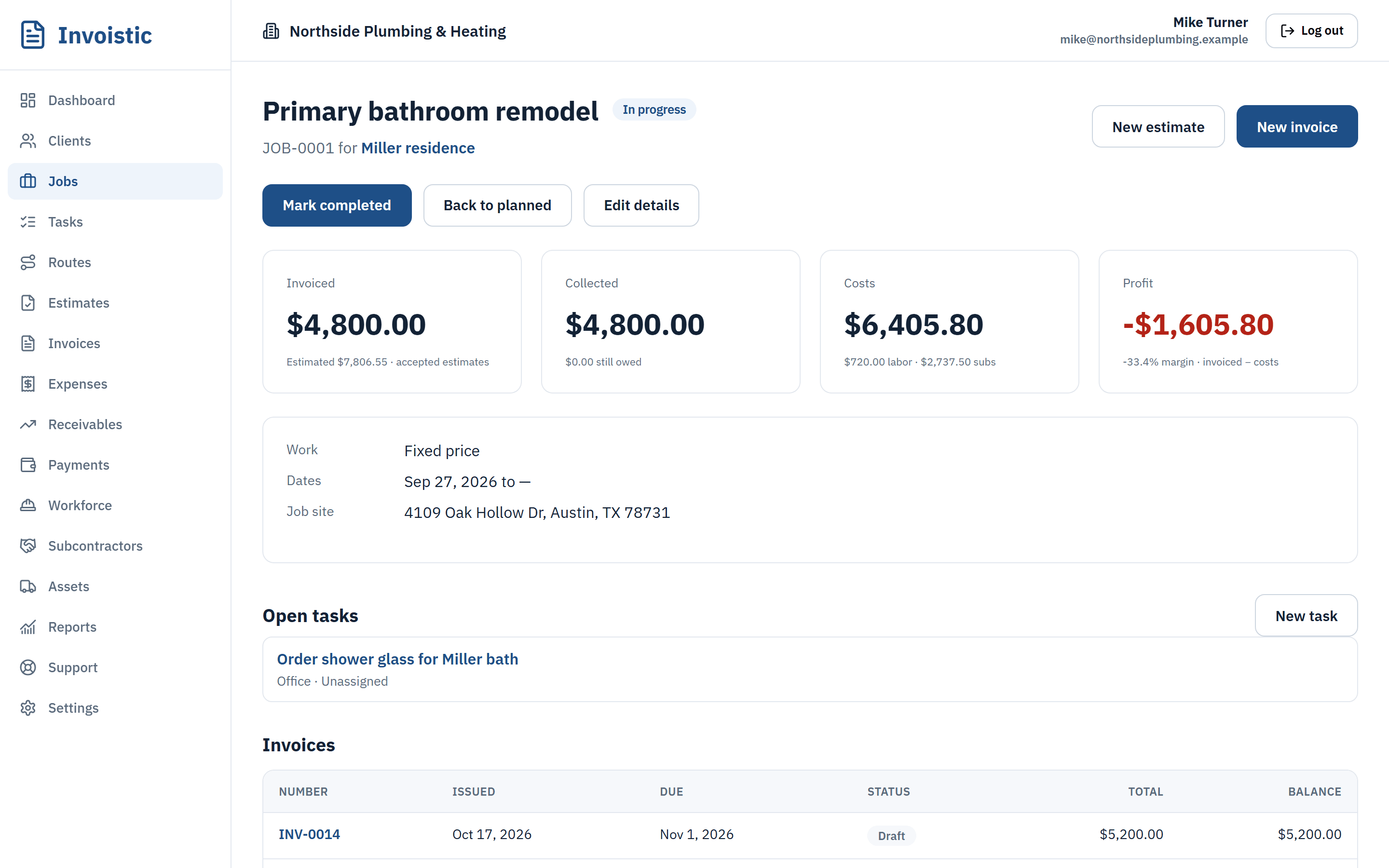
A job in Invoistic showing invoiced, collected, costs and profit

Job profit and reports

Know what every job actually made

Invoices, expenses, approved hours, subcontractor bills and equipment use all roll into the job, so the margin is there the moment the work is done.

  • Profit per job
  • Profit and loss by month
  • Ready for your accountant

Reports on Standard and up; labor and equipment costs on Pro and up.

See what each job made

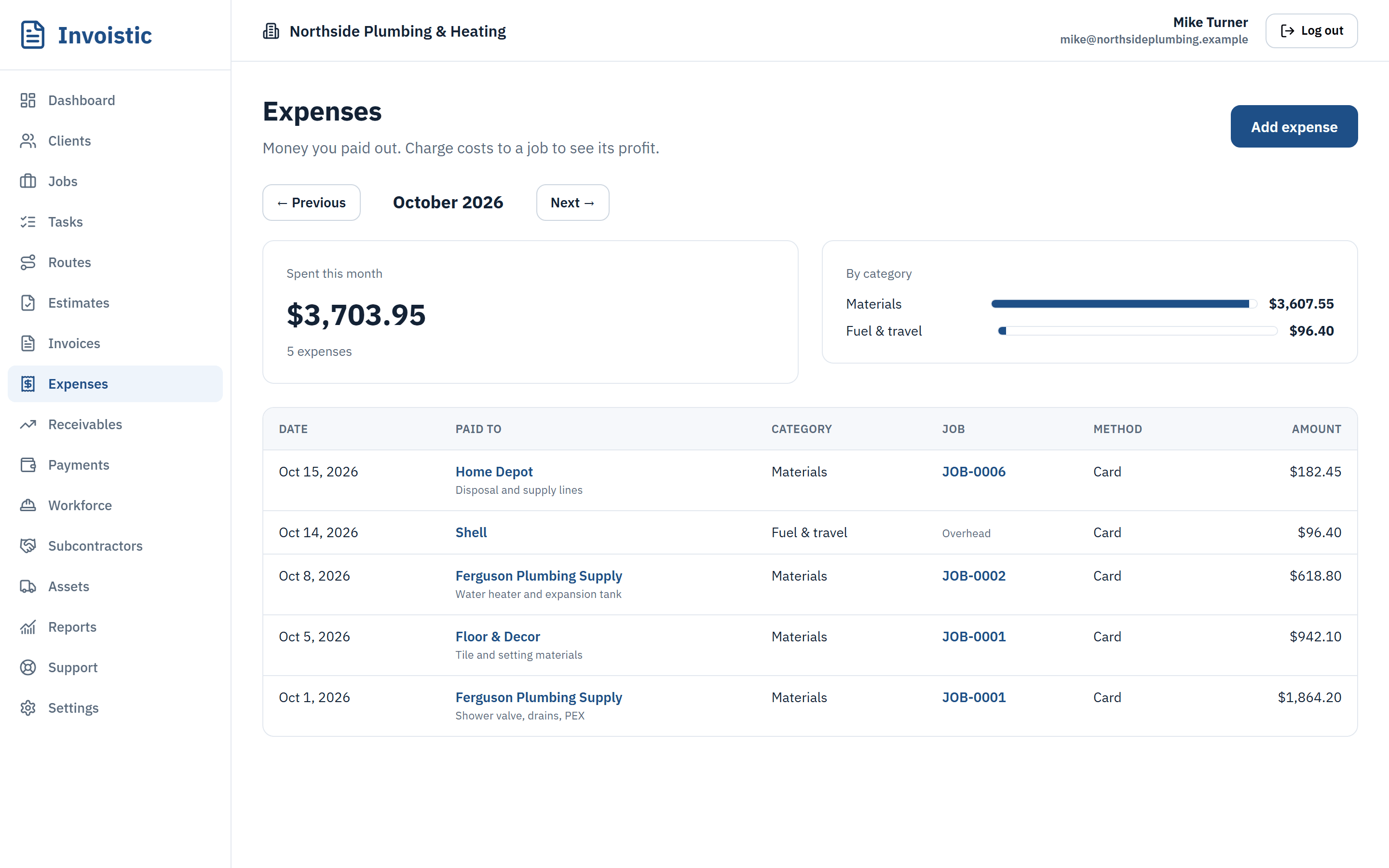
The expenses list in Invoistic, each expense charged to a job

Expenses and receipts

Expenses and receipts, sorted by job

Log the cost at the store, snap the receipt and charge it to the job. At the end of the month the totals are already by category.

  • Charged to the job
  • Receipts kept safe
  • Monthly totals

Expenses on every plan; receipt photos on Standard and up.

Track expenses by job

A job in Invoistic showing invoiced, collected, costs and profit
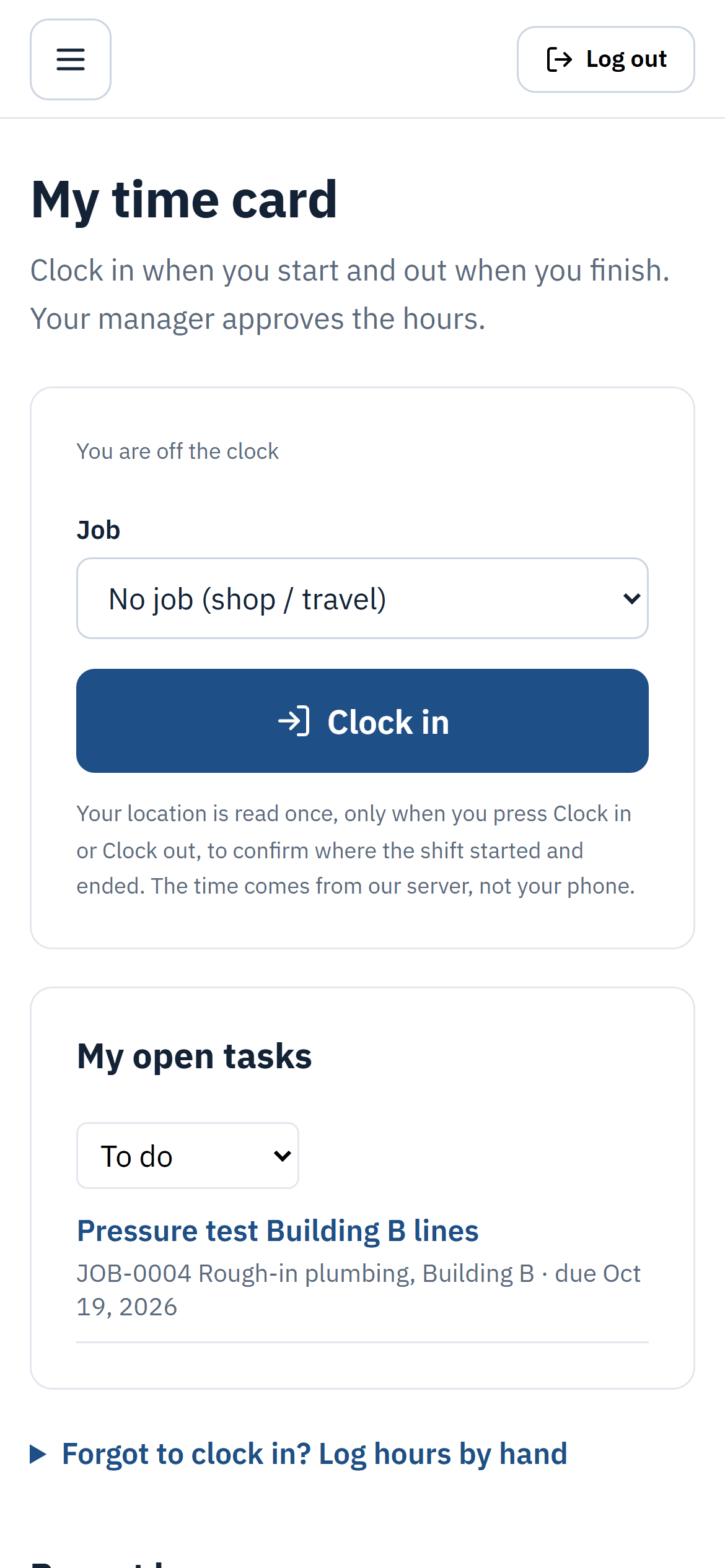
A crew member’s time card on a phone with a Clock in button

Time cards and routes

Time cards and routes for the field

Your crew clocks in and out from their phones. You approve the hours, and the labor cost flows into each job. Plan the day’s stops on a map in the best driving order.

  • Clock in from the phone
  • Approve hours in bulk
  • Routes with maps

On Pro (up to 5 users) and Business (unlimited users).

Run your crew from your phone

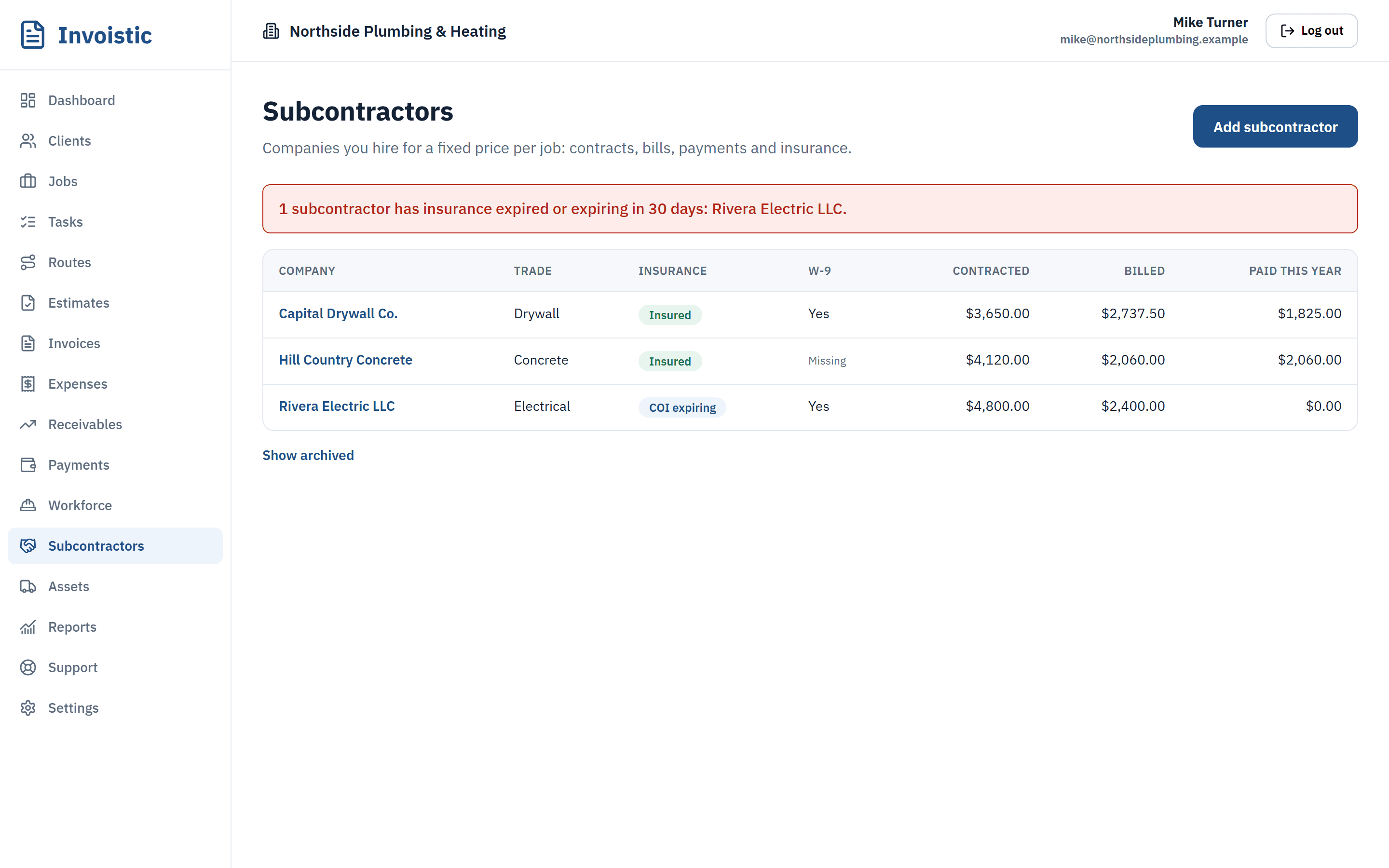
Subcontractors in Invoistic with insurance status, W-9 and amounts contracted, billed and paid

Subcontractors and equipment

Subcontractors, insurance and tools under control

Keep a contract per job for each sub, record their bills and payments, and get an alert before their insurance expires. Know which tool is out, with whom, and on which job.

  • Contracts and bills
  • Insurance alerts
  • Equipment checkout

On Pro and Business.

Keep subs and tools in order

Send your first invoice today

Free to start, no credit card. No fee on the payments you collect.