Online payments
Let clients pay the invoice online by card, Apple Pay or Google Pay
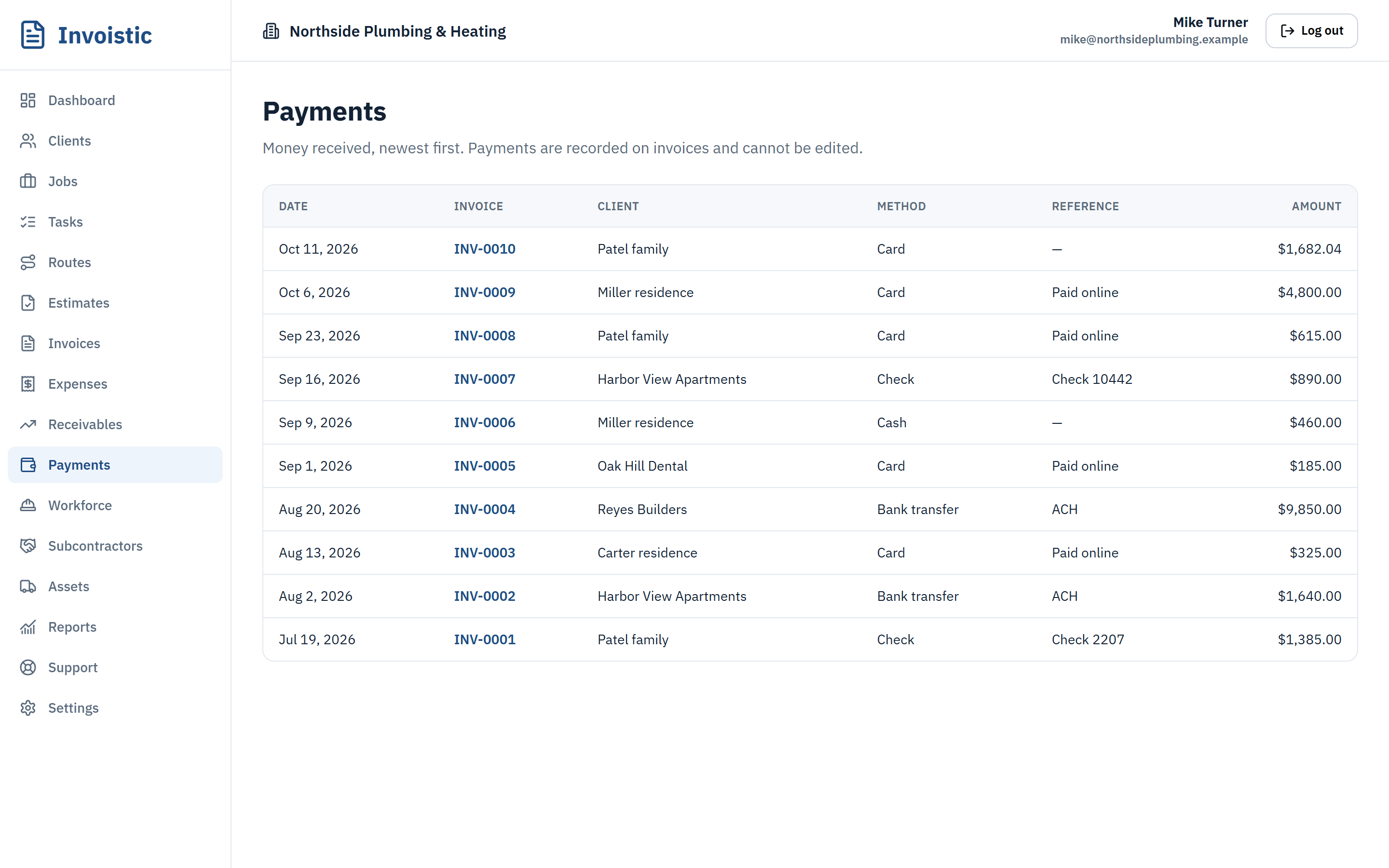
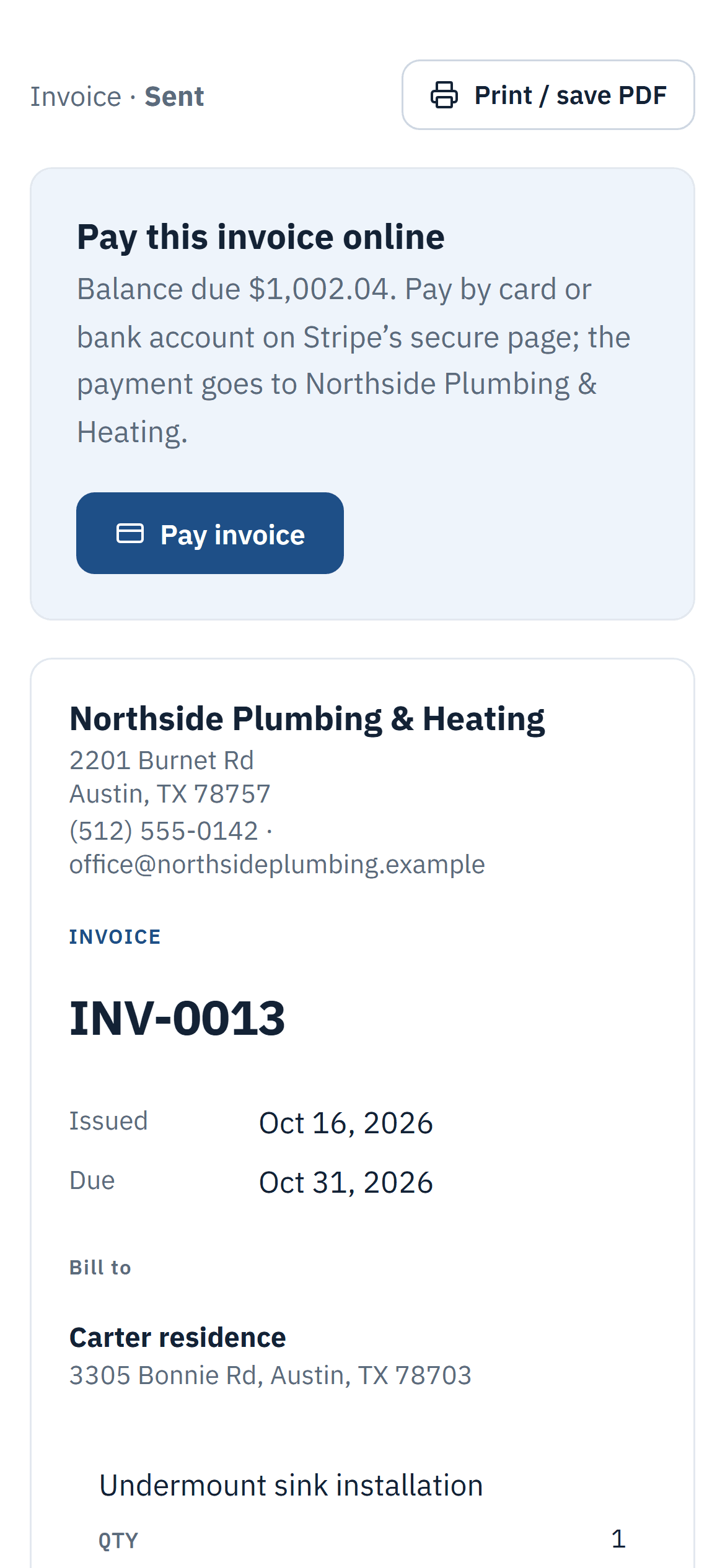
Connect your own Square account once. From then on every invoice link has a Pay button, the money lands in your Square account, and the payment is added to the invoice on its own.
Why contractors use it
Your account, your money
Payments go straight to your Square account and out to your bank. They never pass through Invoistic.
No Invoistic fee
You pay Square’s standard processing rates on your own account. Invoistic adds nothing on top, on any plan.
Marked paid automatically
Payments post to the invoice as soon as Square confirms them. No retyping, no matching deposits.
How it works
Three steps
- Connect your Square account (or create one) from Settings › Billing.
- Send the invoice link by text or email.
- Your client taps Pay invoice and pays by card, Apple Pay, Google Pay or Cash App Pay.
Details
What’s included
- Cards, Apple Pay, Google Pay and Cash App Pay on Square’s secure checkout
- Bank transfers (ACH): coming soon
- Clients pay the current balance; no account needed
- Refunds and disputes are shown on the invoice
- Cash, checks and partial payments recorded in a tap
- Receivables show who owes you and how late
- Available on every plan, including Free
Related features
Estimates and invoicesSend professional estimates from the job site, get them approved online and turn them into invoices in one click.See estimates and invoices Text invoices from your phoneSend the invoice link by text message from your own phone number, so your client sees a number they already know.See how texting an invoice works Job profit and reportsSee the profit and margin of every job from invoices, expenses, approved labor, subcontractor bills and equipment.See what each job made
Send your first invoice today
Free to start, no credit card. No fee on the payments you collect.